How to Read RDAP Nameserver Information with Domain Delegation
RDAP treats a domain object as a DNS name and a point of delegation. Learn to read ldhName, v4, and v6 in nameserver objects carefully.
When you open an RDAP result for a domain, you may see nameserver names and sometimes IP addresses. The main challenge is to read the information that is actually present without drawing firm conclusions from details that are not shown. RDAP nameserver information should be considered in the context of the domain object, which represents a point of delegation. This article explains where to find a detailed domain record, what fields in a nameserver object mean, and how to interpret fields that appear to be missing.
At a glance
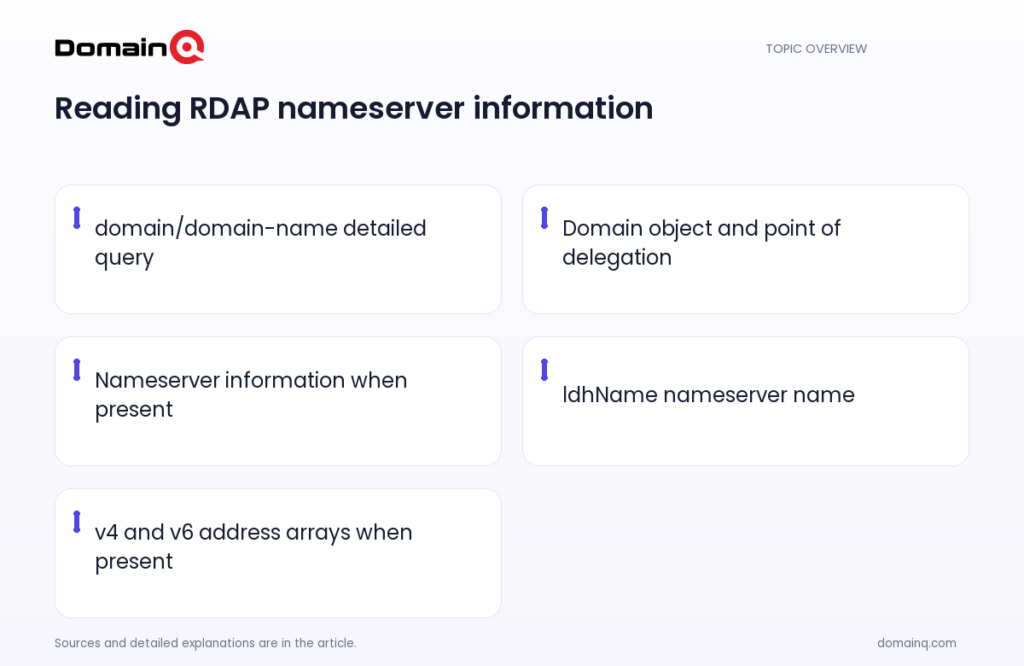
- An RDAP domain object represents a DNS name and a point of delegation.
- A detailed domain query uses the domain/domain-name form.
- In a nameserver object, ldhName identifies the nameserver’s LDH name.
- When present, v4 and v6 under ipAddresses identify IPv4 and IPv6 address arrays for the nameserver.
- Optional registration-data members may be absent from a response.
The domain object and the point of delegation
In RDAP, a domain object represents a DNS name and a point of delegation. This means that delegation is an important part of the registration context when you review a domain record. When a response presents nameserver information, you can read it carefully as nameserver information in that delegation context.
Registration operators do not necessarily model nameserver information in the same way. The RFC states that some expose nameserver information as an attribute of a domain name, while others model nameservers as independent, first-class objects. For that reason, you should not expect every RDAP response to provide the same level of detail.
- A domain object represents a DNS name and a point of delegation.
- Nameserver information can be modeled as a domain attribute or as independent objects.
- Assess the response according to fields that are actually present.
Source: [2]
Find the detailed domain record
A detailed RDAP query for a domain uses the domain/domain-name path with a fully qualified domain name. The standard describes this as domain/XXXX, where XXXX is a fully qualified domain name relative to the root. This query is the starting point for a detailed record about one domain.
As an example scenario, imagine receiving a detailed RDAP response for example.com. If the response includes nameserver information or nameserver objects, first check which fields are actually present in each object. Read a nameserver name from ldhName, and read addresses, when provided, from the v4 and v6 arrays under ipAddresses.
- Detailed query form: domain/domain-name.
- Use a fully qualified domain name in the query.
- Evaluate nameserver information only through fields present in the response.
Read ldhName, v4, and v6 in a nameserver object
An RDAP nameserver object represents information about DNS nameservers used in forward and reverse DNS. The ldhName member contains the nameserver’s LDH name. LDH refers to the letters-digits-hyphen form of a name. For example, ns1.example.com can be an ldhName value.
When the ipAddresses object is present, v4 identifies an array of IPv4 addresses of the nameserver, and v6 identifies an array of IPv6 addresses of the nameserver. The presence of these fields means that the RDAP response provides additional address information about the nameserver. If v4 or v6 is absent, use only the available fields, such as ldhName, instead of assuming an unstated value.
- ldhName: the nameserver’s LDH name.
- ipAddresses v4: an array of IPv4 addresses.
- ipAddresses v6: an array of IPv6 addresses.
- Read v4 and v6 only when they are present.
Source: [2]
What a missing IP address means
The simplest nameserver object in the standard can contain only objectClassName and ldhName. Therefore, seeing a name such as ns1.example.com without IPv4, IPv6, or additional registration data is not by itself unusual.
RDAP clients must be prepared for registration-data members specified by the standard to be absent from a response. Servers may omit optional members according to their own policies. This limit matters: an absent IP address alone does not establish a query error or a definitive conclusion about the record. Read the ldhName value that is present first, and treat other fields as additional information only when supplied.
- The simplest nameserver object can include a nameserver name.
- Optional registration data can be omitted.
- Do not draw firm conclusions from fields that are absent.
Source: [2]
Search from a nameserver to domains
If you start with a nameserver name, the domains?nsLdhName=… form is defined to search for domains delegated to a particular nameserver-name pattern. In this search, the starting point is a nameserver-name pattern rather than a domain name. In the standard, the pattern represents a host name in letters-digits-hyphen format.
If you start with an IPv4 or IPv6 address, domains?nsIp=… searches for domains delegated to nameservers that resolve to that address. Keep these two searches separate from a domain/domain-name query: domain/domain-name is for a detailed response about one domain, while nsLdhName and nsIp searches move from nameserver information toward domains.
- domains?nsLdhName=…: search by nameserver-name pattern.
- domains?nsIp=…: search by IPv4 or IPv6 address.
- domain/domain-name: detailed query for one domain.
Source: [1]
A practical reading order
First, check whether the query is a detailed record for one domain in domain/domain-name form. Next, if the response contains nameserver objects or nameserver information, note the ldhName values. If ipAddresses is present, record the v4 and v6 arrays separately as nameserver address information.
This approach helps avoid over-interpreting an RDAP response because of fields that are absent. If you next need to investigate domains from a nameserver name, use an nsLdhName search; if you begin with an IPv4 or IPv6 address, use an nsIp search. In every case, do not treat optional members that are absent as though they were present.
- Open the detailed record for one domain.
- Read ldhName values that are present.
- Separate v4 and v6 arrays when available.
- Choose the appropriate search form for nameserver-to-domain searches.
Practical checklist
- Use a detailed RDAP query in domain/domain-name form for one domain.
- If nameserver information is present, note the available ldhName values.
- Review v4 and v6 under ipAddresses only when they are present.
- Do not treat an absent IPv4 or IPv6 field as an error by itself.
- Use domains?nsLdhName=… to search from a nameserver-name pattern to domains.
- Use domains?nsIp=… to search from an IP address to domains.
RDAP treats a domain object as a DNS name and a point of delegation. When a response includes nameserver objects or nameserver information, ldhName identifies the nameserver name, while v4 and v6 under ipAddresses, when present, identify address arrays for that nameserver. The safest interpretation relies on fields actually provided and avoids firm conclusions from the absence of optional details.
Frequently asked questions
What does ldhName show?
ldhName is the string member containing the LDH name of the nameserver. For example, ns1.example.com can be an ldhName value.
Is an RDAP result invalid when v4 or v6 is absent?
No. The simplest nameserver object can contain only objectClassName and ldhName. Servers can also omit optional registration-data members according to their policies.
How can I search for domains associated with a nameserver IP address?
The domains?nsIp=… form is defined to search for domains delegated to nameservers that resolve to the specified IPv4 or IPv6 address.
Sources
[1] rfc9082.txt
[2] rfc9083.txt