Why Can a DNS Answer Look Different on Different Networks? Authoritative Servers and Caches
Different DNS results after a change can arise from the difference between authoritative information and information retained by the DNS service reached by a query.

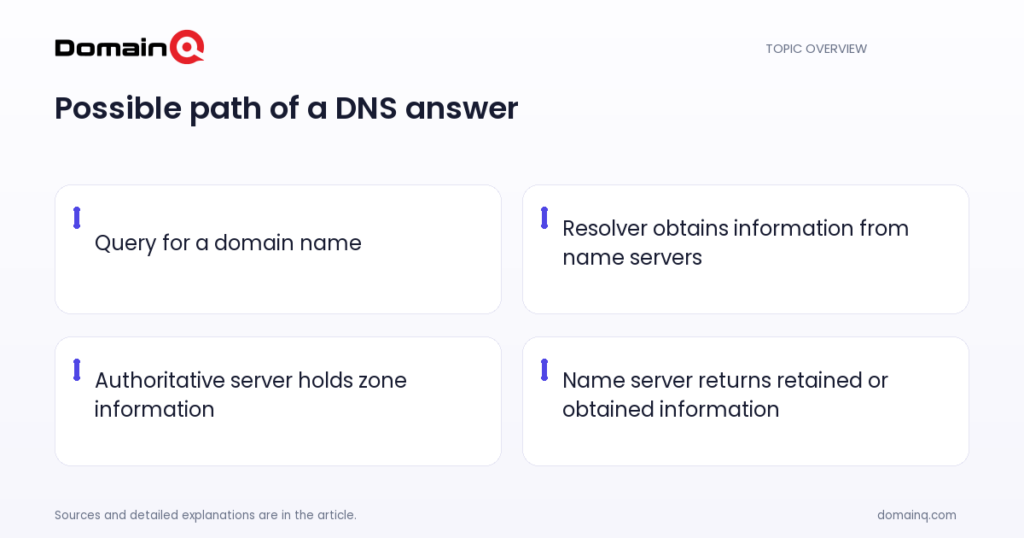
You change a DNS record, see the new destination on your own connection, and then someone on another network still sees the old one. This does not necessarily mean that DNS has more than one authoritative truth. The result can depend on which DNS service receives the query and whether that service has retained information it obtained earlier. To understand why DNS answers differ between networks, separate three concepts. An authoritative name server holds source information for the relevant part of your domain. A resolver is a program that obtains information from name servers in response to a client request. RFC language describes caching capability for name servers, so it is more accurate not to treat the everyday phrase “caching resolver” as automatically identical to the RFC definition of a resolver. The DNS service reached by a query may use a retained copy instead of obtaining a fresh answer from an authoritative server at that moment.
At a glance
- An authoritative name server has complete information for a specified part of the domain name space.
- A resolver obtains information from name servers for a client request; the term does not necessarily mean the same thing as a name server that retains cached information.
- DNS is designed for updates to spread over time rather than for every copy to update simultaneously.
- Negative answers can also have a TTL; NXDOMAIN and NODATA describe different outcomes.
Separate authoritative servers, resolvers and caches first
An authoritative name server has complete information for a particular subset of the domain name space. It is therefore authoritative for that part. Authoritative information is organised into units called zones. Data for the same zone can be distributed to multiple name servers that provide redundant service.
A resolver is a program that obtains information from name servers in response to a client request. It can access at least one name server and answer directly from that server’s information, or pursue the query through referrals to other name servers. This definition does not mean that every resolver necessarily retains cached information.
RFC 1034 states that a name server may cache structure or set information about any part of the domain tree. An answer seen on one network therefore does not always have to be obtained afresh from an authoritative server at that moment. During diagnosis, ask not only “which resolver was used?” but also “what information did the DNS service reached by the query return?”
- Authoritative server: holds complete information for the relevant part of a domain.
- Zone: the unit in which authoritative information is organised.
- Resolver: a program that obtains DNS information from name servers for a client request.
- Cache: a place where a name server may retain information obtained earlier.
Source: [1]
Why two networks may not show the same answer at once
DNS uses a model that allows updates to spread through users of the system over time instead of guaranteeing that every copy is updated simultaneously. Distributed copies operate with timeouts for refreshing. If an update is unavailable because of a network or host failure, continuing to believe older information is also part of this model.
For that reason, different results after a DNS change do not by themselves prove that the authoritative information conflicts. Queries from different networks can reach different DNS services. One of those services may have obtained newer information, while another may still use information it obtained earlier until its refresh timing permits a new one.
Example scenario: a record for example.com is updated. A query from an office network may receive the new answer from a DNS service that obtained information after the change. A query from a home connection may receive the old answer from another name server that retains earlier information for the same record. This example describes the DNS distribution model, not the behaviour of a particular provider.
- Queries from different networks can reach different DNS services.
- Those services can obtain information at different times.
- Seeing an older answer can be consistent with a cached copy.
Source: [1]
Assess an authoritative answer separately from a retained answer
To separate the issue calmly, first check whether the change matches the information in the authoritative zone for your domain. Then record whether answers obtained through different networks or DNS services differ. The goal is to avoid treating one screen’s result as conclusive evidence of the overall state.
Also account for the fact that authoritative servers can provide redundant service for a zone. Review together which authoritative name servers are defined for the domain and whether they carry the correct zone information. If there is more than one authoritative server, do not draw a broad conclusion from only one result.
If you are unsure what record types mean, DNS records explained: A, CNAME, MX and TXT can help separate the purpose of each record. The main question in this article, however, comes before record type: whether the answer came from authoritative zone information or from a copy retained by a name server.
- Check the information in the authoritative zone.
- Record answers from different DNS services separately.
- Review redundant authoritative name servers together when they exist.
Source: [1]
Negative answers can also lead to an older-looking result
Caching is not limited to records that are found. Negative DNS answers also have a TTL. TTL is the remaining period during which an answer may be used from cache. When an authoritative server creates a negative answer, this period is taken from the lower of the SOA.MINIMUM field and the SOA record’s TTL. The period decreases over time; when it reaches zero, the cached negative answer must not be used again.
It is important to name the response correctly. NXDOMAIN is another expression for the Name Error response that says the queried domain name does not exist. NODATA means that the name is valid for the given DNS class, but no record of the requested type exists. The existence of a name does not mean that every record type exists for that name.
That distinction matters when the observation is “I added a record, but it still appears to be missing in some places.” Separate whether the result says that the name itself does not exist or that, for the given DNS class, the requested record type is absent. Then consider whether it may relate to authoritative information or to a negative answer in cache whose usable period has not yet ended.
- Negative answers can be retained in cache with a TTL.
- When the TTL reaches zero, a cached negative answer cannot be used again.
- NXDOMAIN means the name does not exist; NODATA means the requested record type is absent for the given DNS class.
Source: [2]
A practical review order after a change
During a DNS change, the most useful approach is to separate an observation from its source. A result on one network may show only the state of the DNS service reached by that query. Recording the result with the date and network used helps you assess differing answers through the distinction between authoritative and retained information rather than as a random inconsistency.
If an important service such as site access or email is affected, be specific when speaking with the team managing the domain or your DNS provider. State the name, the record type, and the DNS result observed on the relevant network. This keeps the discussion from stopping at “working” or “not working” and allows authoritative zone information and answers returned by different DNS services to be considered separately.
- Write down the domain name and record type you changed.
- Confirm the expected information in the authoritative zone.
- Record results seen on different networks separately.
- Distinguish NXDOMAIN from NODATA.
- Allow for the remaining usable period of positive or negative retained answers.
Practical checklist
- Identify the domain name and record type that changed.
- Confirm the expected answer in the authoritative zone.
- Allow for queries from different networks to reach different DNS services.
- Record the network used and the answer seen for each observation.
- If you see a negative answer, distinguish NXDOMAIN from NODATA.
- Keep the given DNS class condition when assessing NODATA.
- Account for the fact that negative cached answers may be used until their TTL reaches zero.
Different DNS answers across networks often follow from the different roles of authoritative servers and retained information at the DNS service reached by a query. An authoritative server holds source information for a zone, while a resolver obtains information from name servers for a client request. Because name servers may retain copies and DNS uses timeouts, compare observations with authoritative information. Also remember that negative answers can be retained and that NXDOMAIN differs from NODATA.
Frequently asked questions
What is an authoritative DNS server?
An authoritative DNS server has complete information for a specified part of the domain name space. Authoritative information is organised into zones and can be distributed to multiple name servers for redundant service.
Is a resolver the same thing as a name server that retains cached information?
Not automatically. A resolver is a program that obtains information from name servers for a client request. RFC 1034 describes caching capability for name servers. A DNS service reached by a query may use retained information, but the resolver definition alone does not make that mandatory.
What is the difference between NXDOMAIN and NODATA?
NXDOMAIN is the Name Error response indicating that the queried domain name does not exist. NODATA means that the name is valid for the given DNS class, but no record of the requested type exists.
Can a negative DNS answer remain in cache?
Yes. Negative answers have a TTL. Once that period reaches zero, the cached negative answer must not be used again.
Sources
[1] rfc1034.txt
[2] rfc2308.txt