How to Read HTTP Status Codes and JSON Types in an RDAP Response
Start interpreting an RDAP result with the HTTP status code and JSON structure before reading object fields. This helps distinguish successful queries, unsupported query types, and invalid requests.
When you run an RDAP query for a domain, seeing JSON on screen does not automatically mean that the result is usable. First, use the HTTP status code to determine whether the server processed the query successfully. Then use the JSON content to establish which kind of RDAP response was returned. Reading the RDAP HTTP status code and JSON response together helps you confirm that you are looking at the right kind of result before interpreting object details.
At a glance
- An RDAP server reports whether query processing succeeded or failed through an HTTP status code.
- A positive single-object lookup returns the object itself as a JSON object; a positive multi-object search returns a JSON object containing an array of objects.
- objectClassName identifies the object type, and an unrecognized JSON member is not by itself a response error.
- A self link to an RDAP object instance must use the application/rdap+json media type in its type element.
Evaluate the HTTP status code first
An HTTP status code is the numeric code in a response that communicates the result of a request between a client and a server. RDAP servers indicate whether query processing succeeded or failed by returning an appropriate HTTP response code to the client. For that reason, check the status code before you start examining JSON fields.
For example, if a tool displays JSON-like output after an RDAP request, first confirm the HTTP status code shown alongside it or in the network record. The status code reports the outcome of processing the query; the JSON body explains which object or search result was returned in a positive response.
If an RDAP server receives a query type that it does not support, it must return HTTP 501 Not Implemented. This response indicates that the query type is unsupported by that server; it does not establish anything about an object's contents.
After percent-decoding, if a query string is not valid UTF-8, the server can stop processing immediately and return HTTP 400 Bad Request. UTF-8 is a character encoding used to represent text in computer systems. In this case, review the text encoding in the request rather than looking for object data.
- Check the HTTP status code before JSON fields.
- Treat a 501 response as an unsupported query type.
- When receiving a 400 response, review whether the query string is valid UTF-8.
Source: [1]
Separate a single object from search results in a positive response
In a successful RDAP response, the JSON structure varies with the kind of query made. A positive response to a lookup of one object in the registration system is a JSON object that is the queried object itself.
In contrast, a positive response to a search for multiple objects is also a JSON object, but it contains an array of JSON objects representing the search results. In other words, having a JSON object at the outer level does not by itself mean that one record was found.
Example scenario: An administrator sends a single-object query for a domain and receives a positive response. The returned JSON object is the object being sought. If the administrator instead runs a search that targets multiple objects, the positive response should contain an array of result objects. Treating these two shapes as the same can confuse later field reading.
- For a single-object lookup, the JSON object is the queried object.
- For a multi-object search, the outer JSON object contains an array of result objects.
- JSON alone is not enough; also consider whether the query was a single-object lookup or a multi-object search.
Source: [2]
Confirm the object type with objectClassName
In RDAP response objects, the member named objectClassName is a text value that identifies the type of object being processed. It is required in all RDAP response objects so that the object type can be interpreted.
Read this member as part of a structural check after the HTTP status code indicates positive processing. It lets you confirm which RDAP object type a JSON object represents from the response's own type declaration, rather than inferring it only from field names.
To interpret domain status and registration events separately, you can also use the distinction in How to Separate Domain Status and Registration Events in RDAP. Before moving to those details, though, completing the status-code, response-shape, and object-type checks described here provides a more orderly review.
- Find objectClassName in the positive RDAP response object.
- Treat it as the required member that identifies the object type.
- Confirm the response structure and type before interpreting object fields.
Source: [2]
Do not label unrecognized JSON members as errors
Clients that process RDAP JSON responses should ignore JSON members they do not recognize. Servers can add members that are not specified in the definition, and the presence of those members does not make the response erroneous.
This rule matters especially when reviewing your own script, integration, or data mapping in an administration tool. A client should not reject the entire response only because it encounters an unexpected member. Instead, it should process the members it recognizes and ignore those it does not.
Example scenario: A tool may read objectClassName and then encounter another member it does not recognize. That member alone is not an error; the tool should skip it and continue processing the RDAP structure it recognizes.
- Do not treat an unknown JSON member as an error on its own.
- Have your client process recognized members and ignore unrecognized ones.
- Assess validity together with the HTTP result and the expected RDAP structure.
Source: [2]
Check the media type on a self link
A self link that references an RDAP object instance must contain a type element with the application/rdap+json media type. A media type is a label that identifies the format of the content a link points to.
This check is useful when confirming that a link leads to an RDAP object instance. If a self link points to such an instance, expect application/rdap+json in its type element. This does not replace checking the HTTP status code: read processing success from the status code and the RDAP media type of the object link from the self link.
When you need to move on to fields in a domain object, How to Read RDAP Nameserver Information with Domain Delegation discusses nameserver information in a separate context. The purpose of this article is to first establish the processing result and how the JSON object is classified.
- Find the self link that leads to an RDAP object instance.
- Check for the application/rdap+json media type in its type element.
- Treat the HTTP status code, JSON structure, and link media type as separate checks.
Source: [2]
Practical checklist
- I checked the HTTP status code before JSON fields in the RDAP response.
- I separated a 501 response as an unsupported query type.
- If there was a 400 response, I reviewed whether the query string was valid UTF-8.
- I identified whether a positive JSON response was a single-object lookup or a multi-object search result.
- I checked objectClassName in the RDAP response object.
- I did not label unrecognized JSON members as errors by themselves.
- I checked that the type value on a self link to an RDAP object was application/rdap+json.
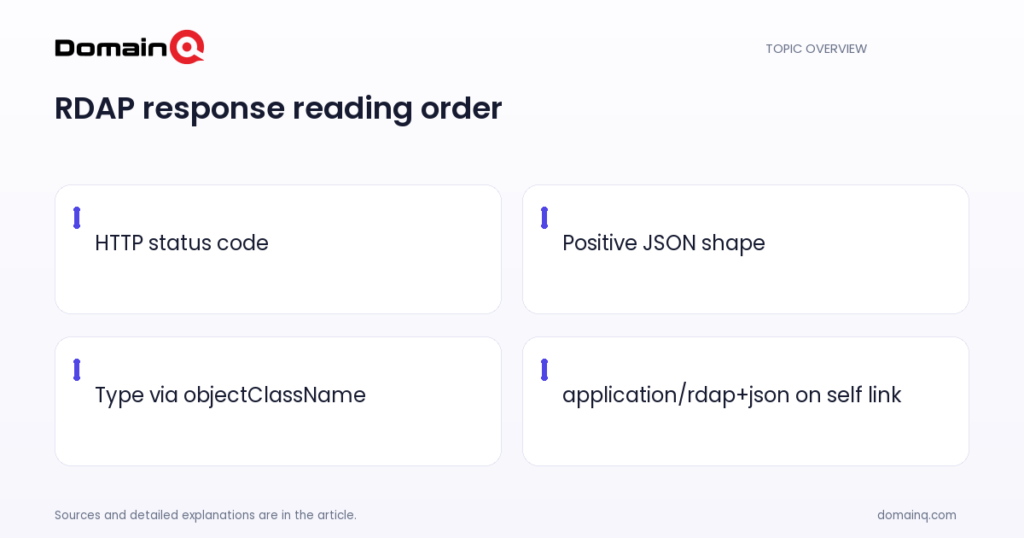
Do not reverse the order when reading an RDAP response. First evaluate the result of query processing through the HTTP status code, then determine whether the positive JSON shape represents one object or contains a result array. Next, confirm the object type with objectClassName, do not treat unrecognized members as errors by themselves, and check for application/rdap+json on the appropriate self link. These basic checks put the response in the right context before you examine object content.
Frequently asked questions
Does seeing JSON in an RDAP response mean that the query was successful?
No. An RDAP server reports whether query processing succeeded or failed using an appropriate HTTP status code. Evaluate that code before interpreting the JSON content.
What does an HTTP 501 RDAP response mean?
HTTP 501 Not Implemented means that the RDAP server does not support the query type. RDAP servers must return this response for unsupported query types.
Is a JSON field I do not recognize in an RDAP response an error?
No. RDAP clients should ignore JSON members they do not recognize. A server adding a member not included in the definition does not by itself make the response an error.
Sources
[1] rfc9082.txt
[2] rfc9083.txt